S Factor Technologies
GenFinovo workspace
GenFinovo web dashboard showing invoiced, collected, outstanding, overdue, invoiced vs collected and receivables aging

Getting started

GenFinovo is a web workspace for quotations, invoices, payments and collections — for small businesses anywhere. Plan · Track · Grow.

Create a workspace, then add customers and products & services before you send your first quotation.

Use Settings → Business Profile so your logo, name and registration appear on documents. Malaysian teams can configure LHDN MyInvois from Settings → Malaysia e-Invoice when they need to submit e-Invoices.

Work follows the path below — each step links to a fuller guide.

GenFinovo workspace
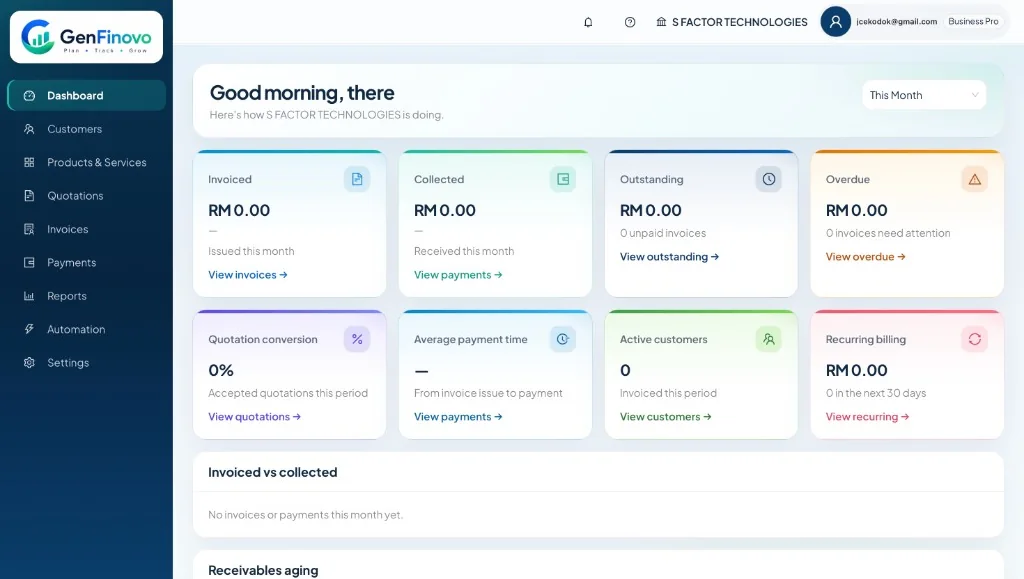
GenFinovo web dashboard showing invoiced, collected, outstanding, overdue, invoiced vs collected and receivables aging
How work moves

Sign in

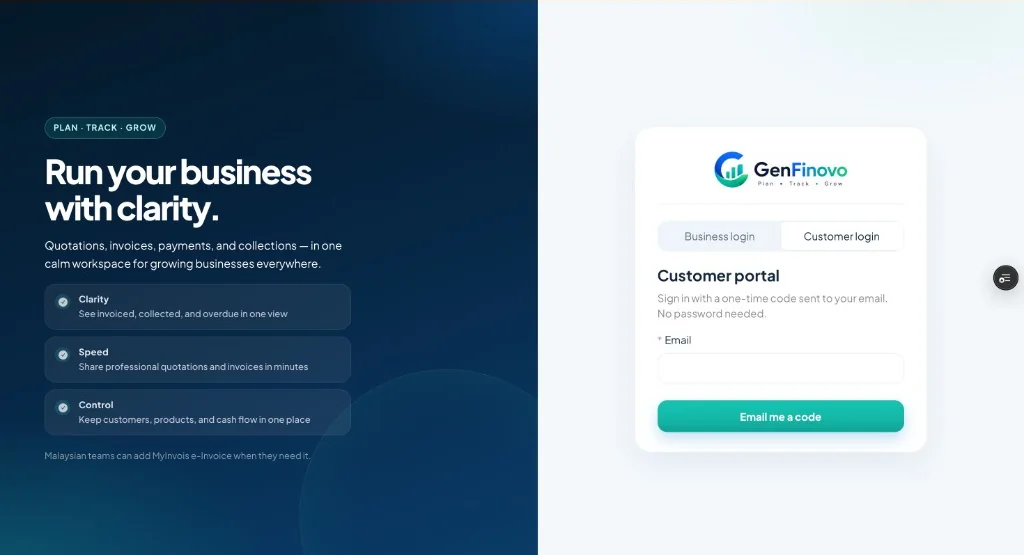
The sign-in screen has two tabs: Business login and Customer login.

Business login uses the email and password for your workspace. Use Forgot password if you need a reset.

Customer login is the portal. Enter the invited email and choose Email me a code — a one-time code is sent, with no password needed.

Sign in
GenFinovo sign-in with business login and customer portal one-time email code
How you sign in

Sign-in screen

Two tabs — pick the one that matches who you are.

Business

  1. Business login

    Email and password. Use Forgot password for a reset.

  2. WorkspaceQuotations, invoices, payments and reports.

Customer

  1. Customer login

    Invited email, then Email me a code — no password.

  2. Customer portalDocuments for the business that invited you.

Customers

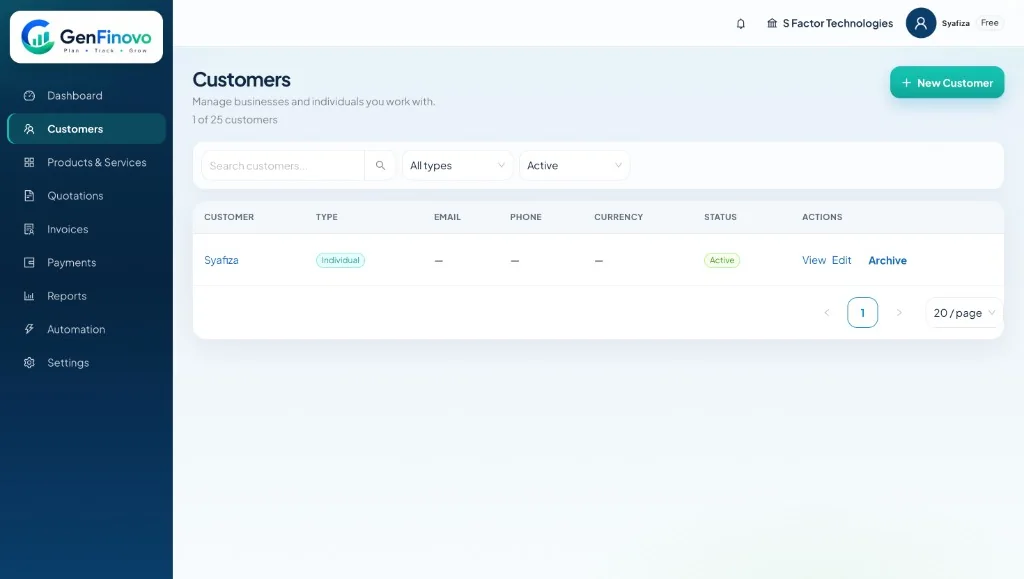
Add each customer once — name, email, phone and company — then reuse them on quotations and invoices.

Search by company, phone or email when the list grows. Keeping one record per customer avoids duplicate paperwork.

GenFinovo workspace
GenFinovo customers list with search, type filters and an active customer

Quotations

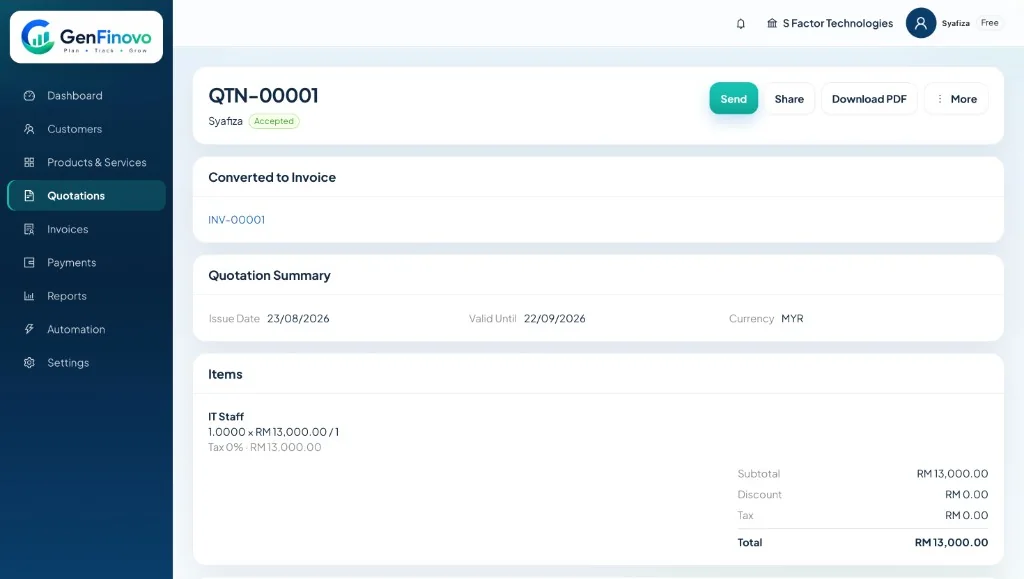
Create a quotation with line items, tax and a valid-until date, then share a PDF or a secure link.

When the customer accepts, convert the quotation to an invoice so totals and items stay consistent.

Free includes a monthly quotation limit. Pro and Business Pro unlock unlimited quotations.

GenFinovo workspace
GenFinovo quotation QTN-00001 with line items, totals and an accepted status

Invoices and payments

Issue invoices from a quotation or from scratch. Record payments as they arrive so outstanding and overdue stay accurate.

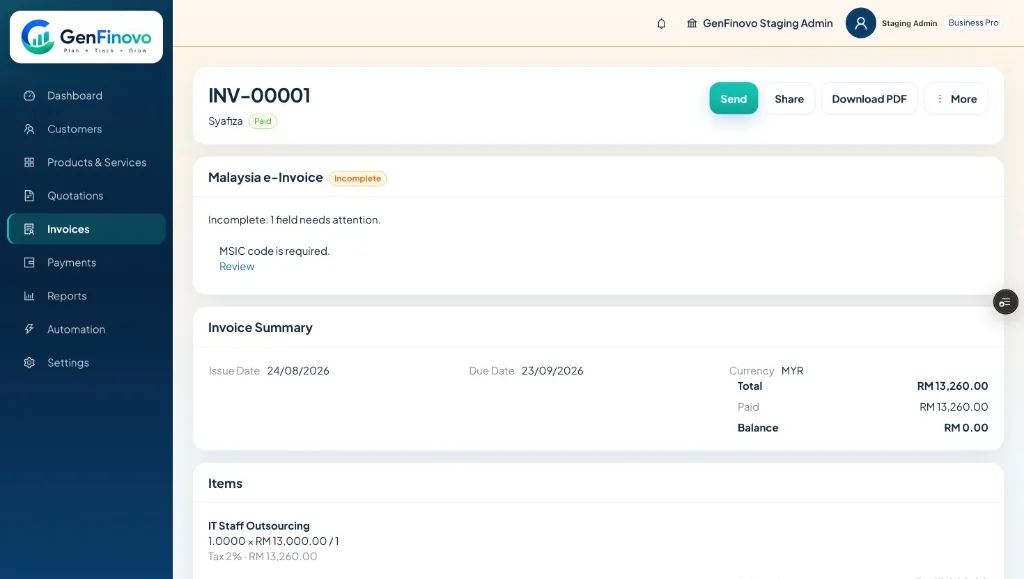
From an invoice you can Send, Share or Download PDF. Receipts and payment history stay with the invoice, including the method used — for example Bank Transfer.

Free includes monthly invoice and email caps; Pro removes document limits and raises email allowances. e-Invoice submission allowances depend on your plan.

GenFinovo workspace
GenFinovo invoice INV-00001 with paid status and share actions

Customer portal

Pro and Business Pro include a customer portal. Invite people from Portal users; they sign in with a one-time email code.

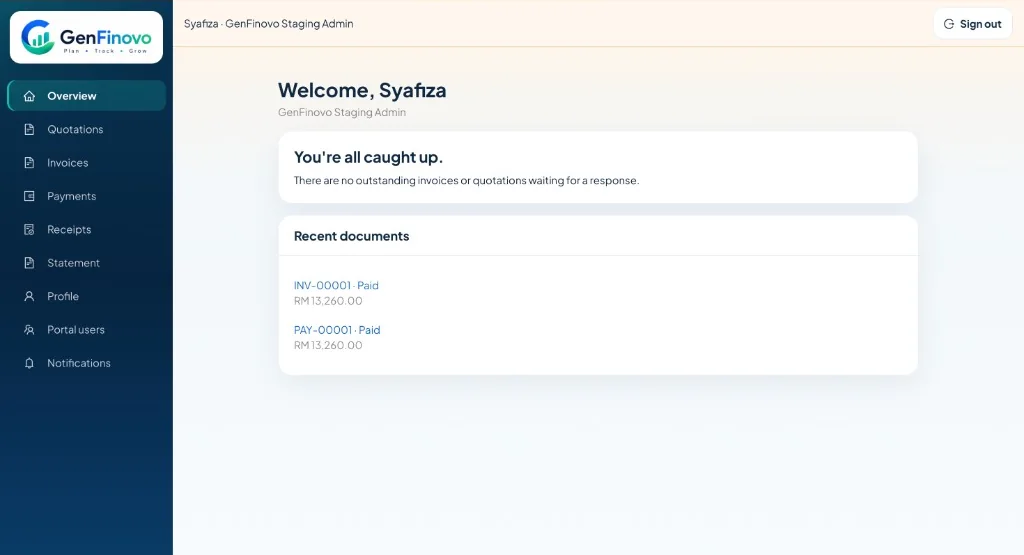
The portal shows Overview, Quotations, Invoices, Payments, Receipts, Statement, Profile, Portal users and Notifications.

Overview lists recent documents and whether anything is waiting for a response. Payments lists each collection against an invoice. Statement shows opening balance, invoices, payments and outstanding.

Access is per invitation: customers only see documents for the business they currently have selected. Draft and void invoices stay hidden.

Customer portal
GenFinovo customer portal overview with recent documents and outstanding status
Who sees which invoices

Customer is invited

Each invitation is for one business and one customer.

One business

  1. That business only

    They cannot see invoices from any other business, even if they buy from them.

Two or more businesses

  1. Switch in the portal

    Pick the business they want to view.

  2. Selected business only

    Never a mixed list. Invoices load from the access they have selected.

Draft and void invoices stay hidden in every case.

Notifications

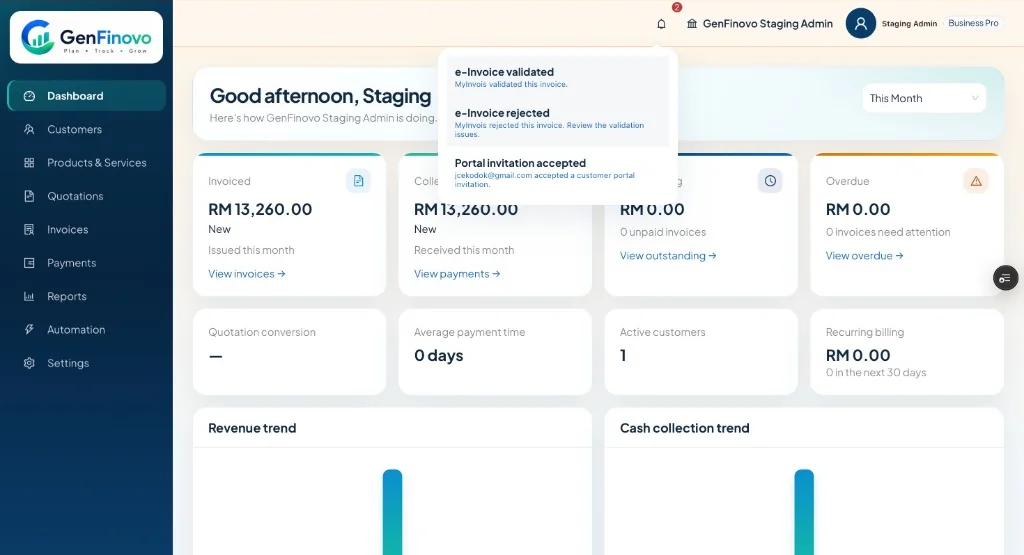
The bell in the workspace header collects activity for your team.

Typical notices include a customer accepting a portal invitation, and — for Malaysian teams — MyInvois validation or rejection after you submit.

GenFinovo workspace
GenFinovo notifications for workspace activity and customer portal invitations

Reports and dashboard

The dashboard shows invoiced, collected, outstanding and overdue for the period you select, plus quotation conversion, average payment time, active customers and recurring billing.

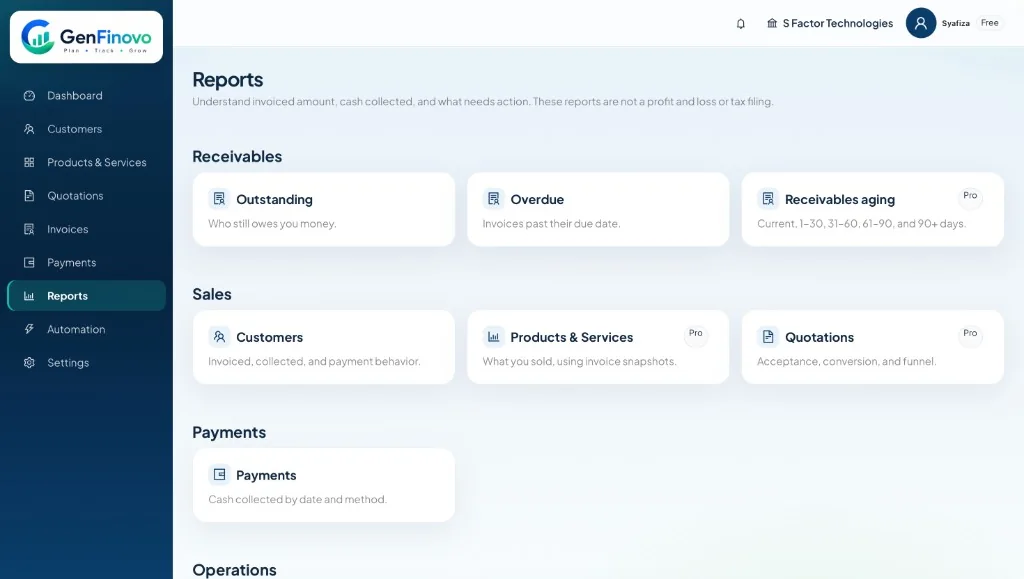
Reports cover receivables, sales and payments — enough to follow up, not a profit and loss or tax filing.

Receivables aging, advanced reports and CSV export are available on Pro and Business Pro.

GenFinovo workspace
GenFinovo reports for outstanding, overdue, sales and payments

Business profile and branding

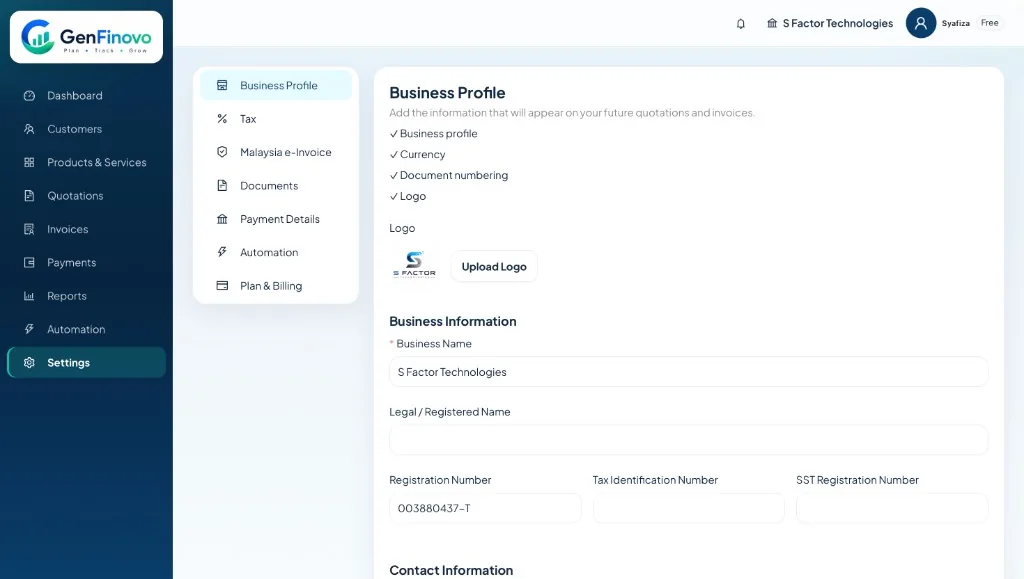
Settings → Business Profile holds the details that appear on quotations and invoices: name, registration numbers, logo and contact information.

Free documents include GenFinovo branding. Pro and Business Pro unlock custom branding and remove GenFinovo branding from PDFs.

GenFinovo workspace
GenFinovo business profile settings with logo, name and registration details

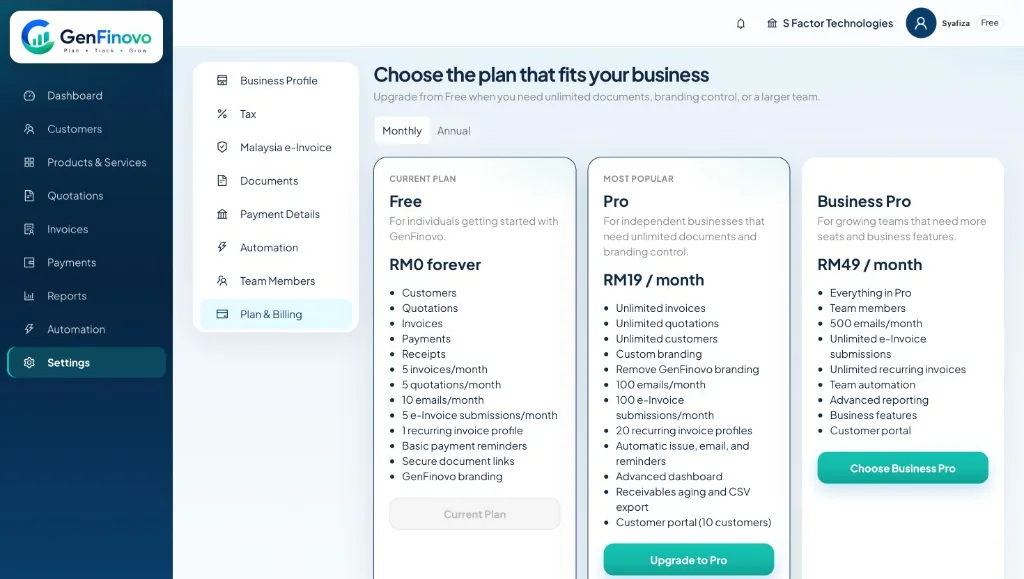
Plans and billing

Free is RM0 forever, with monthly caps on invoices, quotations, emails and e-Invoice submissions.

Pro is RM19 / month or RM190 / year — unlimited documents, custom branding, advanced dashboard and a customer portal for 10 customers.

Business Pro is RM49 / month or RM490 / year — everything in Pro plus team members, higher limits, team automation and advanced reporting.

Upgrade and manage billing from Settings → Plan & Billing. Prices are shown in MYR in the app.

GenFinovo workspace
GenFinovo Plan and Billing with Free, Pro and Business Pro

Malaysia e-Invoice

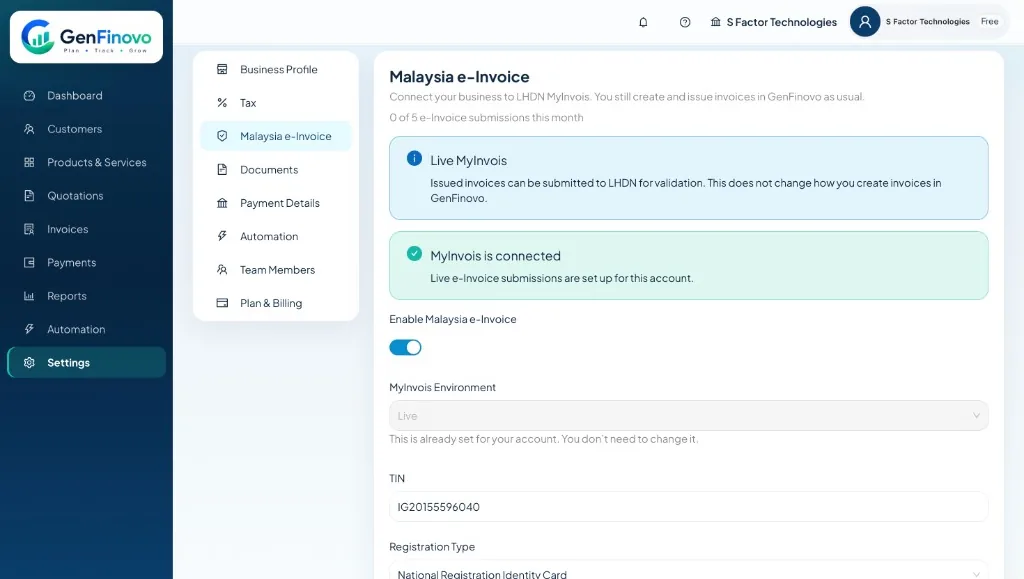
Optional LHDN MyInvois is the local advantage for Malaysian teams — not a requirement to use GenFinovo. Configure it from Settings → Malaysia e-Invoice. Enabling it does not change how you create and send invoices.

Issue the invoice as usual, then submit it for validation. GenFinovo sends the required fields — including MSIC code and party details — and shows the status returned by MyInvois on the invoice.

If an invoice is Incomplete, fill the missing fields before submitting. If MyInvois rejects a document, correct the issues and submit again. Submission limits depend on your plan: Free has a small monthly allowance, Pro raises it, and Business Pro is unlimited.

GenFinovo workspace
GenFinovo Malaysia e-Invoice settings with live LHDN MyInvois connected

iOS and Android

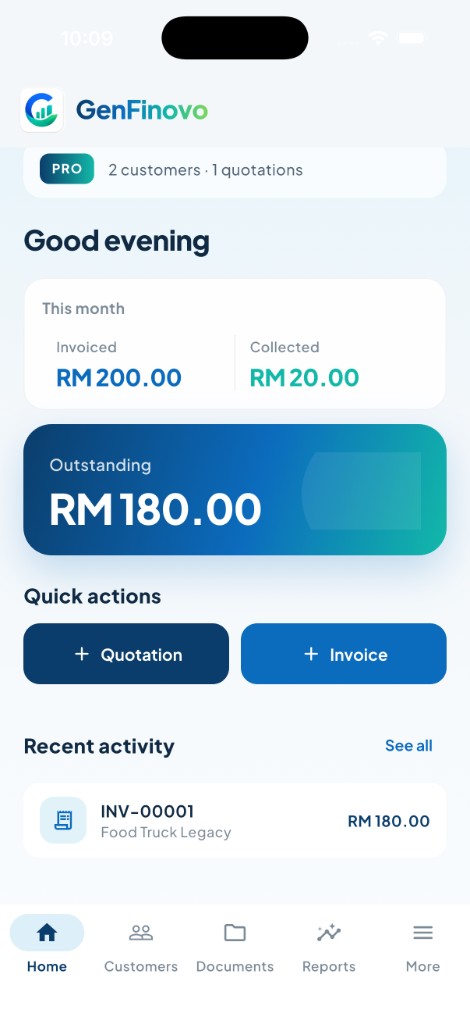
The same customers, documents, payments and reports will follow you when iOS and Android launch.

Until then, use GenFinovo in the browser at www.genfinovo.com. Store listings will appear here when iOS and Android are ready.

GenFinovo home with invoiced, collected and outstanding for the month

Troubleshooting

If outstanding looks wrong, check that payments are recorded against the right invoices and that the dashboard period matches the month you care about.

If a PDF still shows GenFinovo branding after you upgrade, confirm Plan & Billing shows Pro or Business Pro, then regenerate the PDF.

If you cannot sign in to the workspace, reset the password from Business login. For the customer portal, request a new one-time code from Customer login, or confirm the email was invited under Portal users.

If a customer cannot see an invoice, use the checks below — draft or void, invitation, then the business they have selected.

If an e-Invoice is Incomplete or rejected, check Settings → Malaysia e-Invoice and the customer’s tax details, then submit again. GenFinovo is not accounting or tax-filing software. For formal books or SST filings, use your accountant or the tools they recommend.

If a customer cannot see an invoice
  1. A customer cannot see an invoice

    Work down the checks. Stop at the first match.

  2. Is the invoice draft or void?

    No — continue

  3. Have they selected that business in the portal?

    Yes — continue