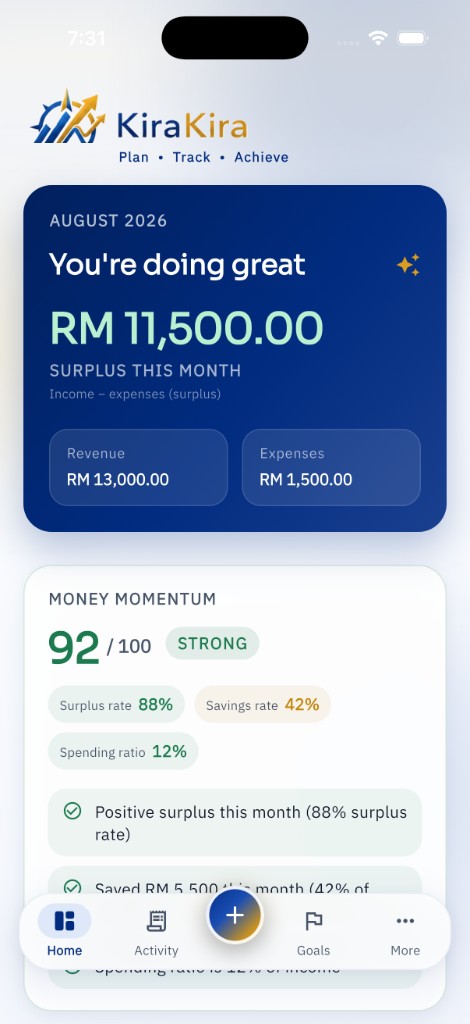
See the month at a glance
Income, spending and what you have left over — without a wall of accounting jargon.


KiraKira · Available
Make your money make sense. Understand everyday spending, keep goals visible, and see a simple picture of how your money is moving.
Android beta is available. Register now to get first access to the app.


App Store is a service mark of Apple Inc. Google Play and the Google Play logo are trademarks of Google LLC.
Swipe to preview KiraKira
Key benefits
Income, spending and what you have left over — without a wall of accounting jargon.
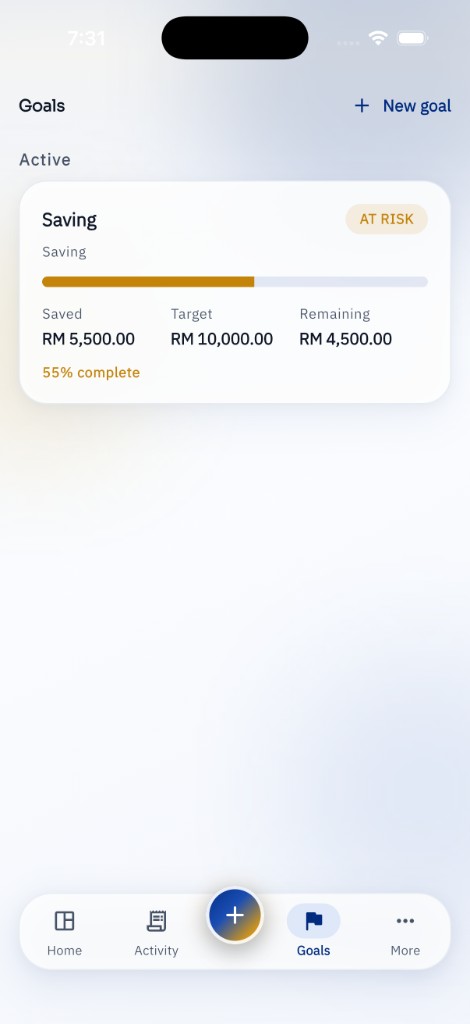
Whether you are saving for something specific or watching a budget, progress stays visible.
Forecasts and what-if questions are there when you want them. They are planning tools, not financial advice.
Feature highlights
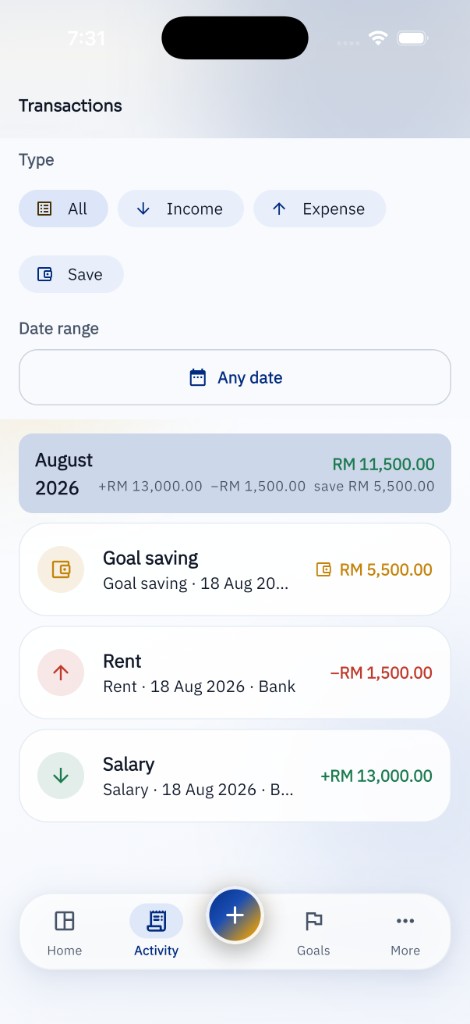
Record everyday money in a way that stays simple.
A calm snapshot of how the month is going.
A 0–100 score from surplus, recorded savings, spending control and consistency.
Keep saving targets and other goals on the home screen of your financial life.
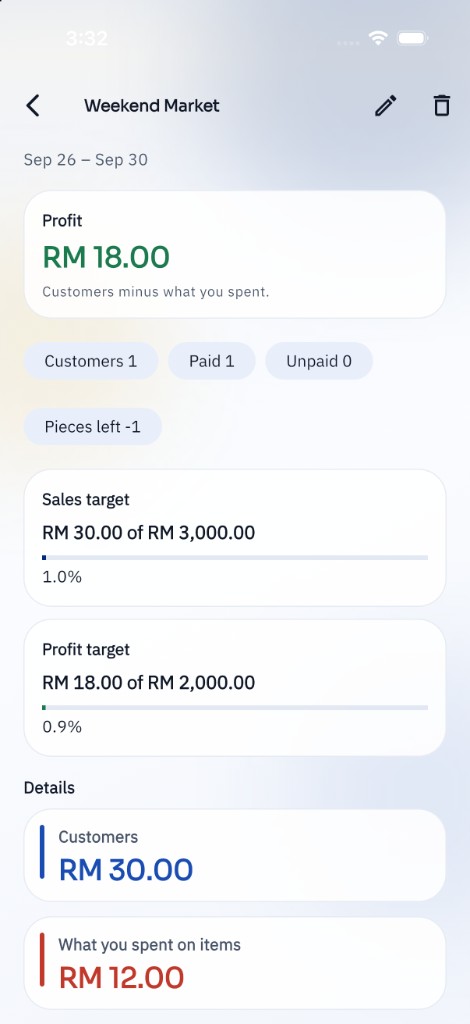
On Pro, track a side-income project: what customers paid, what you spent, and the profit left over.
Local storage by default, with optional Google Drive backup if you want it.
Projects · Pro
Name the project and its dates. Record what customers paid you and what you spent. Profit is customers minus spending. Sales and profit targets show how far that project has come.
How it works
01
Log income as it arrives, in the categories that match your life.
02
Capture expenses quickly — including optional on-device receipt scanning on Pro.
03
Keep the things you are working towards visible, not buried in a spreadsheet.
04
Use Money Momentum as a simple pulse check, not a judgement score.
Plans
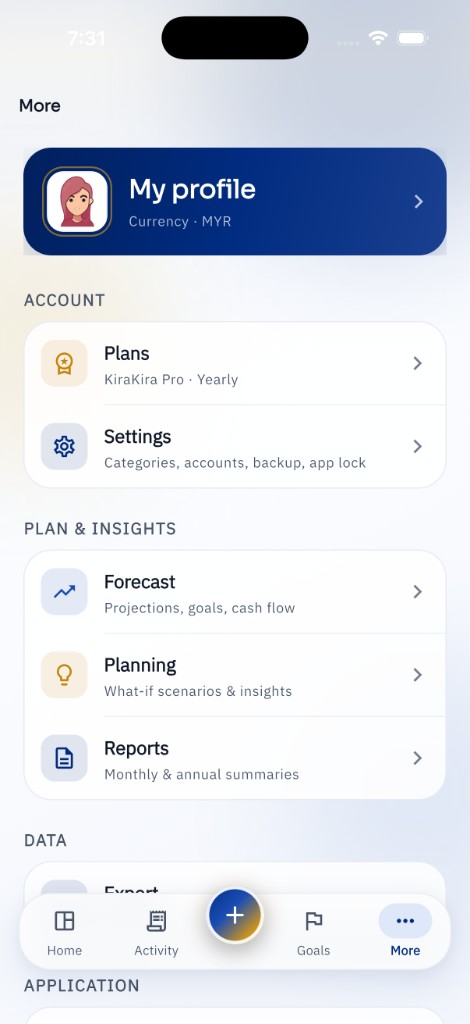
Start free. Upgrade when you want projects, forecasting, backups and the extra planning tools. Prices and offers are shown in the app and billed through Apple or Google.
Core tracking for everyday money.
Monthly or yearly, managed in the store.
Privacy
There is no KiraKira server account. Transactions, accounts, goals, projects and receipt photos stay on your device unless you choose to back them up or export them.
FAQ
KiraKira is a simple financial planning app for personal use and small businesses. You record income, expenses and savings, set goals, and see summaries, forecasts and insights based on the data you enter.
Your numbers are saved locally on your device. Optional Google Drive backup and CSV export only share data when you choose those features. KiraKira asks the operating system not to auto-copy the database into device backups.
No. Forecasts, what-if scenarios, Money Momentum and insights are for planning only. They are not financial, tax or investment advice.
Free covers core tracking for income, expenses, savings and one active goal. Pro unlocks extras such as projects, forecasting, what-ifs, receipt scanning, export and Google Drive backup. Current entitlements are always shown in the app.
Paid plans are billed through the App Store or Google Play. Manage, cancel or restore purchases in the store account you used. KiraKira does not take card details on its own servers — there is no KiraKira account.
KiraKira is available on the App Store for iPhone and iPad. The Android beta is available now — register with your email to get first access.
On KiraKira Pro, name a project and record what customers paid you and what you spent. See the profit left over, who has paid, and how sales and profit compare with the targets you set.
Download on the App StoreRegister now to get first access to the Android app. Share your email and we will send the beta invite.
Register for Android betaTrack income, spending and goals on iPhone and iPad. Download KiraKira from the App Store and start making your money make sense.
Download on the App StoreKiraKira
Download on the App Store. Android beta is available — register now to get first access to the app.
App Store is a service mark of Apple Inc. Google Play and the Google Play logo are trademarks of Google LLC.
A product from S Factor Technologies. Need help? Visit KiraKira support.